


Standard PoE Type‑C Converter: Powers Mobile Phone
PoE Type-C Converter For Mobile Phone, Tables, or any devices na merong Type-C as input power port. Mabisa tong gamiting sa mga DIY Kiosk Machine, Online Live Streaming Phones/Tablets, para may power at data/internet connection ka na sa isang gadget lamanng.
₱3,599.00

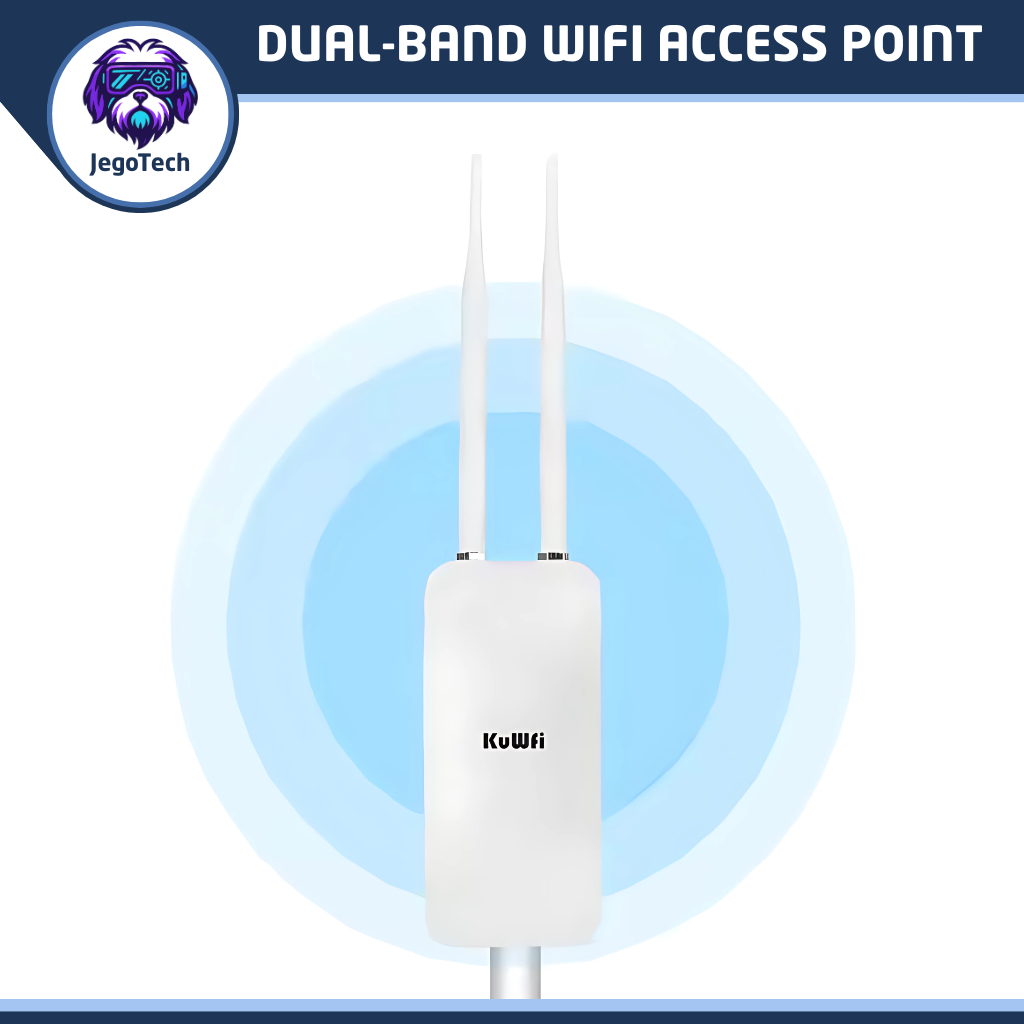
Looking to upgrade your Piso WiFi vending setup? Meet the AP1200F — a tough, dual‑band outdoor access point built for small business owners and tech‑savvy users who need dependable, flexible, and weatherproof connectivity.
Perfect for first‑time vendo builders or those expanding their networks, this device tackles the usual headaches: weak signals, short coverage, and complicated power setups.
Key Features
- Dual-Band WiFi (2.4GHz + 5GHz) for smoother, faster connections
- Weatherproof casing (IP66 rated) for outdoor installations
- Flexible power options: 24V Passive PoE and 12V DC input
- Access Point and Repeater mode support
- External high-gain 5dBi omni-directional antennas
- Up to 100 meters outdoor range (line-of-sight)
- Compact design with wall or pole mounting options
- Web-based management interface for easy configuration
Benefits
- Save time and money with a multi-function device
- Boost productivity by maintaining stable, long-range signal
- Simplify setup with dual power inputs and intuitive controls
- Peace of mind from rugged, weatherproof construction
Ready to upgrade your network?
Add to Cart now and get your KuWFi AP1200F shipped fast. Got questions? Chat with us — we’re happy to help you plan your setup or troubleshoot your current one.
The KuWFi AP1200F Isn’t Just Another Access Point
It’s a purpose-built solution for Piso WiFi vending machines. With dual-band speed, rugged outdoor protection, and flexible power options, it’s the smart choice for builders and operators who want reliability without the complexity.
Get yours today and experience the difference.
Technical Specifications
| Specification | Details |
|---|---|
| Model | KuWFi AP1200F |
| Wireless Standards | IEEE 802.11 a/b/g/n/ac |
| Frequency Bands | 2.4GHz and 5GHz Dual-Band |
| Max Wireless Speed | 1200Mbps (300Mbps @ 2.4GHz + 867Mbps @ 5GHz) |
| Transmission Power | Up to 27dBm |
| Antennas | 2 x 5dBi Omni-Directional (Detachable) |
| Coverage Range | Up to 100 meters (outdoor, line-of-sight) |
| Operating Modes | Access Point, Repeater |
| Ethernet Ports | 1 x 10/100Mbps WAN/LAN |
| Power Input | 24V Passive PoE or 12V DC (via barrel jack) |
| Power Consumption | < 12W |
| Waterproof Rating | IP66 |
| Operating Temperature | -30°C to +70°C |
| Management Interface | Web-based GUI |
| Mounting Options | Wall or Pole Mount |
| Certifications | CE, RoHS |
| Dimensions | 180mm x 80mm x 30mm |
| Weight | Approx. 400g |
Installation Tips
- Choose the Right Location: For optimal coverage, mount the AP1200F at least 2 meters above ground in a clear, open area.
- Use Line-of-Sight: Avoid placing the device behind thick walls or metal surfaces to maximize signal range.
- Secure the Mount: Use the included brackets for wall or pole mounting. Ensure it’s tightly fastened to prevent movement during wind or rain.
- Power Safely: If using 24V Passive PoE, confirm your injector or switch supports passive mode. For 12V DC, use a regulated adapter with correct polarity.
- Configure Before Deployment: Connect to the web interface via LAN cable and set SSID, password, and mode before mounting outdoors.
Frequently Asked Questions (FAQs)
Question: Can I use this with any Piso WiFi vendo board? A: Yes. The AP1200F is compatible with most Piso WiFi controllers, and vendo platforms (Adopisoft, LBP, Wifi Ng Bayan, etc), including Raspberry Pi, Orange Pi, and ESP-based boards.
Question: What’s the difference between Access Point and Repeater mode? A: Access Point mode creates a new WiFi network. Repeater mode extends an existing one. Use AP mode for fresh deployments and Repeater mode to boost coverage.
Question: Is it safe to leave this device outdoors permanently? A: Absolutely. The IP66-rated enclosure protects against rain, dust, and heat. Just ensure proper mounting and cable sealing.
Question: Can I power it using a solar setup? A: Yes. Many operators use 12V solar systems with battery backups. Just ensure voltage regulation to avoid damage.
Question: How do I reset the device if I forget the password? A: Press and hold the reset button (inside the casing) for 10 seconds. The device will reboot to factory settings.
Troubleshooting Guide
Issue: No WiFi signal after installation – Check power input and confirm LED indicators are active – Verify antenna connection is secure – Log into web interface via LAN to confirm SSID is broadcasting
Issue: Slow speed or intermittent connection – Switch to 5GHz band for faster performance – Reduce interference by changing WiFi channel – Ensure firmware is up to date
Issue: Device not powering on – Confirm PoE injector is passive 24V, not active 48V – Test with 12V DC adapter to isolate power issue – Inspect cable for damage or loose connections
Issue: Cannot access web interface – Connect via LAN and use default IP: 192.168.188.253 – Set your PC to static IP in the same subnet (e.g., 192.168.188.123) – Clear browser cache or try a different browser
Configuration Options
Choose the setup that works best for your workflow and experience level. Whether you’re a hands-on tinkerer or someone who wants a plug-and-play solution, we’ve got you covered.
Factory Default
The device arrives with its original manufacturer settings — untouched and ready for full customization.
- Ideal for advanced users, technicians, or Piso WiFi builders who prefer to configure the router manually.
- Gives you full control over SSID naming, password setup, IP addressing, and mode selection.
- Perfect if you’re integrating the AP into a custom network or using it with third-party firmware.
Example: If you’re deploying multiple units across different locations and want to apply your own naming conventions or VLAN settings, this option gives you a clean slate.
Pre-configured
Let us do the heavy lifting. The router will be configured according to the details you provide before shipping.
- Great for beginners or busy operators who want a seamless, ready-to-deploy experience.
- We’ll set up SSID, password, mode (AP or Repeater), IP address, and any other preferences you specify.
- Saves time and reduces setup errors — just mount, power up, and go live.
Example: If you’re installing this on a vending machine in a remote area and want it to boot up with your custom Piso WiFi SSID and password, we’ll pre-load everything so it’s ready out of the box.
Note: After placing your order, our team will reach out to confirm your configuration preferences. If no details are provided, the unit will ship in factory default mode.
Support
Need help with setup or troubleshooting?
Contact JegoTech I.T. Solutions via Chubbable Contact Form.


There are no reviews yet.