TP-Link EAP110-Outdoor Single Band 2.4GHZ WiFi Access Point
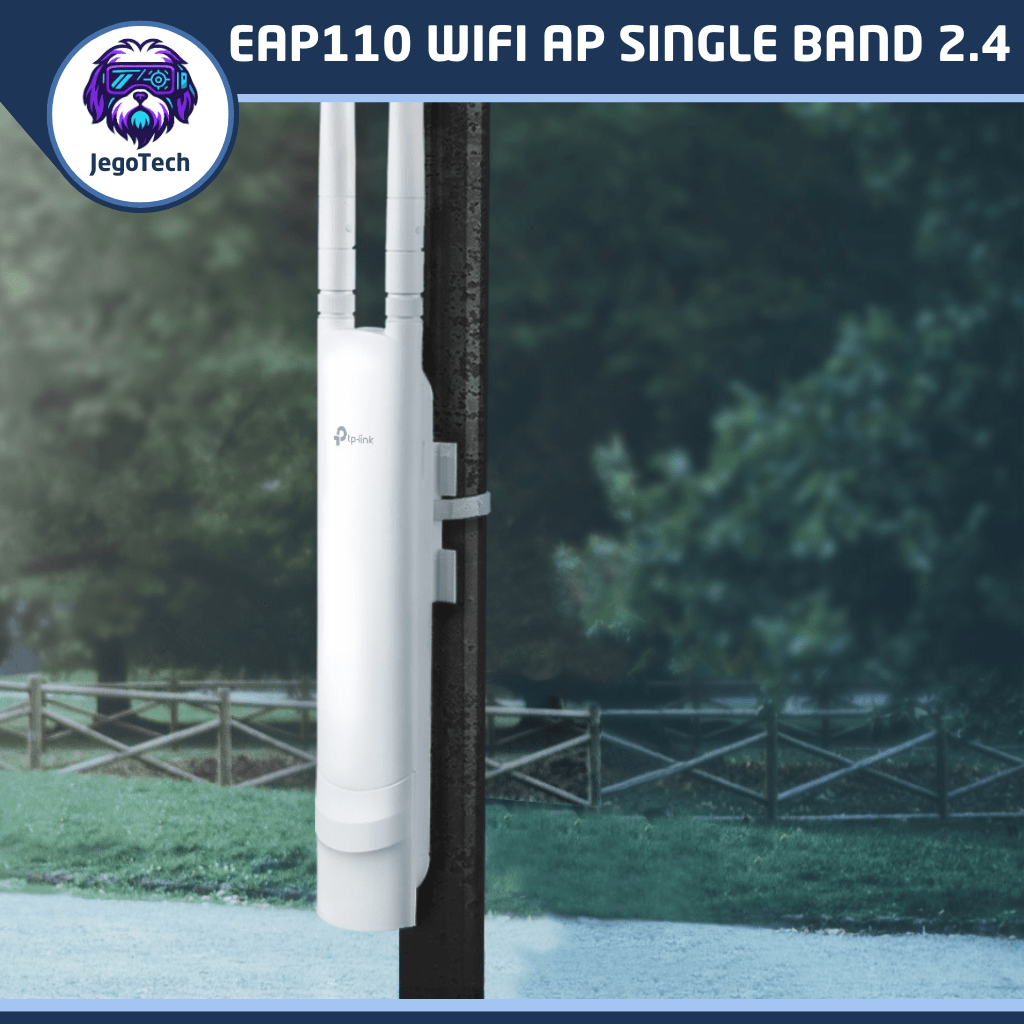
TP-Link EAP110 WiFi AP (Access Point), ay pwedeng pwedeng gawing outdoor WiFi para sa Piso WiFi Vendo nyo mga boss madame. Pwede ring pang personal na gamit, kung may malawak kang bakuran, garden or farm, pwedeng pwde mo tong gamiting para palawakin ang range ng iyong WiFi coverage.
₱3,180.00


The TP‑Link EAP110 is a 300Mbps Wireless N ceiling‑mount access point designed for both home and business use, offering reliable coverage, centralized management, and flexible deployment with Passive PoE. It’s ideal for extending Wi‑Fi in offices, shops, or larger homes where stable connectivity and guest access are important.
TP‑Link EAP110 Access Point Overview
- Wireless Speed: Up to 300Mbps on 2.4GHz band.
- Design: Slim ceiling‑mount form factor that blends into interiors.
- Deployment: Supports Passive PoE (adapter included), allowing flexible installation without needing a power outlet nearby.
- Management: Integrated into Omada SDN platform for centralized cloud management, monitoring, and configuration.
- Security: WPA/WPA2 enterprise encryption, captive portal, and guest network support with SMS/voucher authentication.
- Features: Load balancing, scheduling (auto reboot/on‑off Wi‑Fi), multiple SSIDs (up to 8), QoS, and transmit power control.
Use Cases
Home Use
- Whole‑home Coverage: Mount on ceilings to extend Wi‑Fi into dead zones.
- Easy Setup: Omada app provides smartphone‑based configuration and monitoring.
- Energy Efficiency: Scheduling allows Wi‑Fi to turn off automatically at night.
- Family Control: Multiple SSIDs let you separate guest Wi‑Fi from household devices.
Business Use
- Reliability: Load balancing ensures stable performance even with many connected devices.
- Office networks: Centralized management makes it easy to scale across multiple access points.
- Professional appearance: Ceiling‑mount design integrates seamlessly into commercial interiors.
- Retail & hospitality: Captive portal with voucher/SMS authentication is perfect for cafés, shops, and hotels offering guest Wi‑Fi.
Key Benefits
- Flexible deployment: PoE support means fewer cables and easier installation.
- Scalable solution: Works with Omada controllers for larger business networks.
- Affordable performance: Delivers enterprise‑style features at a cost‑effective price point.
- Secure guest access: Captive portal keeps unauthorized users out while offering a professional login experience.
How To Setup The TP-Link EAP110 Access Point
The TP-Link EAP110 is a reliable access point designed for small businesses, cafés, and home offices that need stable WiFi coverage. Setting up your first SSID is simple and ensures secure wireless access for staff or guests.
1. Connect and Power On
- Plug the EAP110 into your router or switch using an Ethernet cable.
- Power the device via PoE injector or compatible switch.
2. Access the Web Interface
- Open a browser and enter the default IP address:
192.168.0.254. - Log in with default credentials:
- Username: admin
- Password: admin
3. Navigate to Wireless Settings
- Go to Wireless > Basic Settings.
- Locate the SSID Configuration section.
4. Create Your First SSID
- Enter your desired SSID name (e.g., “OfficeWiFi”).
- Select the appropriate band (2.4GHz for EAP110).
- Enable Broadcast SSID so devices can see the network.
5. Secure Your WiFi
- Under Security Settings, choose WPA2-PSK.
- Set a strong password (minimum 8 characters).
- Save changes.
6. Apply and Test
- Click Save/Apply to activate the SSID.
- Connect a laptop or phone to the new WiFi network.
- Verify internet access and stability.
Benefits
- Quick Deployment: Plug-and-play setup with intuitive web interface.
- Secure Access: WPA2 encryption protects your network.
- Scalable: Supports multiple SSIDs for staff and guest networks.
- Reliable Coverage: Optimized for small business and home environments.
Ready to upgrade your wireless network? Configure your TP-Link EAP110 today and enjoy secure, stable WiFi for your business or home.
TP-Link EAP110 FAQs
Choosing the right access point can raise plenty of questions, especially when it comes to installation, coverage, and power requirements. To help you get the most out of your TP-Link EAP110, we’ve gathered answers to the most common queries from business owners, IT managers, and home users. From cable length recommendations to PoE compatibility and guest WiFi options, these FAQs provide clear guidance so you can deploy your EAP110 with confidence.
How long can the Ethernet cable be?
While Ethernet standards allow cable runs up to 100 meters, TP-Link recommends a maximum of 60 meters for the EAP110. This ensures stable performance and reliable PoE power delivery, especially in outdoor environments.
If you need to extend beyond 60 meters or even approach the 100-meter limit, you’ll require additional hardware such as a standard PoE injector paired with a PoE extender or converter. These devices regenerate both power and data signals, allowing you to safely push your cable runs further without risking voltage drop or unstable connectivity. For very long deployments, consider segmenting the run with intermediate PoE switches or extenders to maintain consistent performance.
Can I use the EAP110 outdoors?
Yes. The EAP110 is designed with weatherproof housing and supports outdoor deployment, making it ideal for cafés, resorts, and open spaces.
How many SSIDs can I create?
You can configure up to 8 SSIDs, allowing you to separate staff, guest, and IoT networks with different access policies.
Does the EAP110 support PoE?
Yes. The TP-Link EAP110 uses 24V Passive PoE, which means it can be powered through the Ethernet cable using the included PoE injector or a compatible passive PoE switch. This simplifies installation by allowing both data and power to run over a single cable.
Note that the EAP110 does not support 802.3af/at active PoE, so ensure you use the correct 24V passive injector or switch for reliable operation.
What wireless standard does it use?
The EAP110 operates on the 2.4GHz band and supports 802.11n WiFi, delivering speeds up to 300 Mbps.
Can I manage it remotely?
Yes. The EAP110 can be managed via the TP-Link Omada Controller software or app, enabling centralized monitoring and configuration.
Is guest WiFi supported?
Absolutely. You can enable a captive portal for guest access, providing secure login and customizable splash pages.
What’s the coverage range?
The EAP110 offers up to 200 meters of outdoor coverage, depending on environment and interference, making it suitable for wide‑area deployments.
What environments are recommended?
The EAP110 is best suited for small businesses, cafés, resorts, schools, and home offices that need reliable WiFi coverage in both indoor and outdoor areas.
More WiFi Network Devices
Explore the latest in WiFi Network Devices for wireless connectivity, from home and office access points to advanced 4G LTE routers and emerging 5G devices. We compare trusted brands, highlight performance specs, and provide recommendations tailored for seamless browsing, streaming, and business use. Whether you’re upgrading your home setup or deploying reliable mobile internet, our guides help you choose the right WiFi solution with confidence.
Grab yours now at Chubbable Shop, your trusted Tech Products Online Shop In The Philippines.